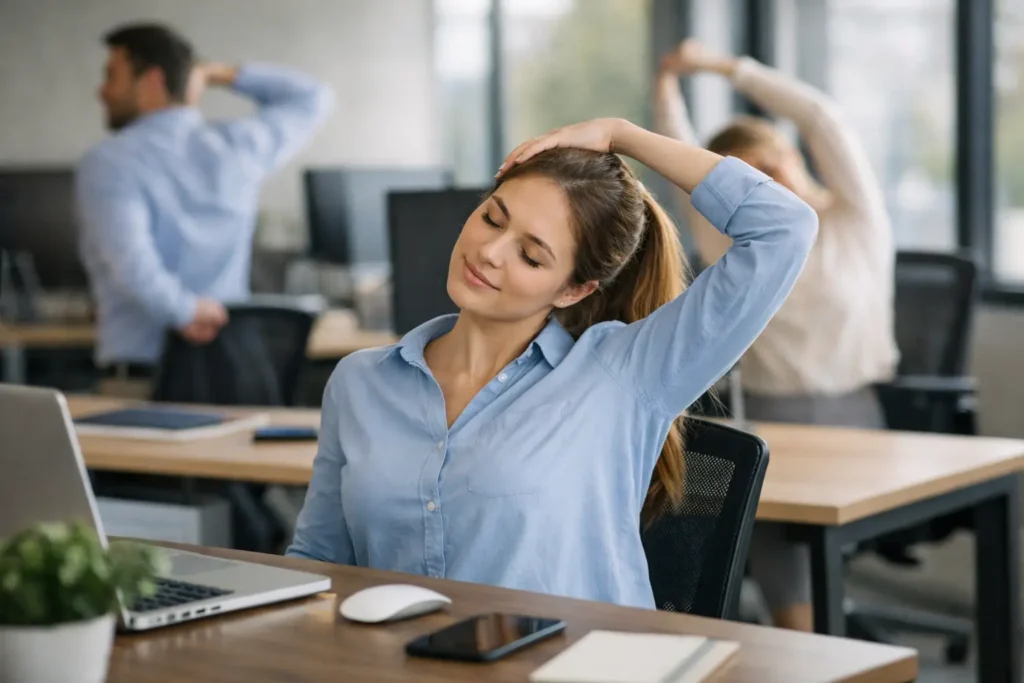
A laptop screen set too low, a long meeting without a break, and a mouse positioned just out of reach can create a familiar pattern: employees finish work feeling stiff through the neck, shoulders, back or wrists. Ergonomic exercises for desks give teams a practical way to interrupt that pattern without needing gym kit, changing clothes or leaving the workplace for long.
For employers, the aim is not to prescribe a demanding fitness routine. It is to make short, safe movement breaks easy to understand and realistic to repeat. When paired with a sensible workstation set-up, these exercises can support comfort, concentration and everyday wellbeing across office-based and hybrid teams.
Why desk movement needs to be part of the working day
Sitting is not automatically harmful, and standing all day is not the answer either. The issue is usually remaining in one position for too long. Even an ergonomically adjusted chair cannot remove the effects of several uninterrupted hours spent looking at a screen, using a keyboard or taking calls.
A useful workplace approach combines good equipment, individual workstation adjustment and regular movement. Employees should be able to vary their posture, change task where possible and take brief movement breaks before discomfort builds. This is more practical than expecting people to correct their posture perfectly throughout the day.
Short exercises are particularly suited to busy workplaces because they can be completed in two or three minutes. They also work for remote staff, hot-desking teams and employees who may not have access to a dedicated wellbeing space.
Ergonomic exercises for desks: a simple daily sequence
The following sequence is designed for employees to complete beside a desk or while seated. Encourage a controlled range of movement rather than forcing a stretch. Exercises should feel comfortable, not painful.
1. Chin tucks for screen-related neck tension
Sit or stand tall and look straight ahead. Gently draw the chin backwards, as though making a small double chin, while keeping the eyes level. Hold for three to five seconds, relax and repeat five to eight times.
This movement can help counter the forward-head position that often develops when a screen is too low or an employee leans towards a laptop. It is most effective when followed by a workstation check: the top of the main screen should generally be around eye level, and the screen should be positioned directly in front of the user.
2. Shoulder rolls and shoulder-blade squeezes
Roll both shoulders slowly backwards five times, then forwards five times. Next, allow the arms to rest by the sides and gently draw the shoulder blades towards each other. Hold for three seconds and repeat eight times.
These movements are simple, discreet and useful after concentrated keyboard work or video calls. The goal is not to pull the shoulders back rigidly. Employees should let the shoulders relax, with elbows supported where practical and the keyboard close enough to avoid reaching.
3. Seated upper-back rotation
Sit towards the front of the chair with both feet on the floor. Cross the arms lightly over the chest, then rotate the upper body slowly to one side without twisting the knees. Return to the middle and repeat on the other side. Complete five turns each way.
Upper-back movement is often limited during desk work, especially when staff remain focused on one screen for long periods. A small, comfortable rotation can provide a useful reset between tasks. Those with a pre-existing back condition should take particular care and seek appropriate clinical advice if unsure.
4. Wrist and forearm mobility for keyboard and mouse work
Extend one arm in front with the palm facing down. With the other hand, gently guide the fingers towards the floor until a mild stretch is felt through the forearm. Hold for 10 to 15 seconds, then repeat with the palm facing up. Change sides.
This should be a light stretch, not a test of flexibility. Employees who experience tingling, numbness, persistent pain or loss of grip should not work through symptoms. They should report the issue through the appropriate workplace process and seek clinical guidance where needed.
5. Seated leg extensions and ankle pumps
While seated, slowly straighten one leg until it is roughly parallel with the floor, pause briefly, then lower it. Alternate legs for eight to 10 repetitions each. Finish with ankle pumps by lifting the heels and then the toes several times.
Lower-body movement is valuable during long periods of sitting, particularly for employees who are absorbed in detailed work or back-to-back calls. It is also an accessible option for people who may not be able to leave their workstation at that moment.
6. Sit-to-stand resets
Where appropriate, stand up from the chair without using the hands, then sit back down with control. Repeat five to 10 times. Employees can hold the desk lightly for balance if necessary, provided it is stable and does not have wheels.
This is a functional movement rather than a fitness challenge. It changes position, engages the lower body and offers a natural prompt to refill a water bottle, collect printing or speak to a colleague in person before returning to the desk.
Make the exercises easy to repeat, not easy to ignore
A poster or wellbeing email alone rarely creates a lasting habit. Participation increases when movement is built into the working routine. Team leaders can open longer meetings with a 60-second reset, encourage breaks between video calls and avoid treating a short screen break as lost productivity.
For many organisations, a simple prompt works best. A calendar reminder at mid-morning and mid-afternoon can encourage employees to choose two or three movements from the sequence. This is often more achievable than asking everyone to complete a full routine at a fixed time.
The approach should remain flexible. Customer-facing roles, contact centre teams, shift workers and employees in shared spaces may need different timings. Hybrid workers may also require guidance on adapting exercises to a home workstation, where kitchen chairs, laptops and limited space are common constraints.
Good exercise cannot compensate for a poor desk set-up
Movement breaks support ergonomic working, but they do not replace a workstation assessment. If an employee is constantly reaching for a mouse, craning to see a screen or sitting with unsupported feet, discomfort is likely to return quickly.
A basic desk check should cover chair height, lumbar support, screen position, keyboard and mouse placement, and whether the employee has enough space to work comfortably. Laptop users may benefit from a separate keyboard and mouse, alongside a laptop stand or external monitor. The best arrangement depends on the person, their tasks and the equipment available.
Employers should also consider the less obvious causes of awkward posture. A headset may be needed for employees who regularly take calls while typing. Glare from a window can cause someone to turn their body or lean towards the screen. A desk that is shared between shifts needs a quick, repeatable adjustment process rather than a one-size-fits-all set-up.
Use wellbeing activity to start better conversations
Desk exercises are a useful entry point because they are immediate and non-intrusive. They can sit within a wider workplace wellbeing plan that includes posture education, office yoga or movement sessions, stress support and health awareness activity.
Health screening can add another practical dimension. Measures such as blood pressure, pulse, weight, BMI and body fat percentage give employees an opportunity to understand key health indicators during the working day. The results do not diagnose a condition, but they can prompt employees to consider lifestyle changes or speak to a healthcare professional where appropriate.
For HR and People teams, anonymised participation and usage information can help show whether wellbeing initiatives are reaching staff. It also helps to vary the offer across the year. Some employees will engage with a desk-based movement prompt, while others may prefer a screening opportunity, a webinar or an in-person class.
When employees should stop and seek advice
These exercises are intended for general comfort and movement, not treatment. An employee should stop if movement causes pain, dizziness, numbness, unusual shortness of breath or symptoms that worsen. Persistent neck, back, shoulder or wrist symptoms should be assessed through the appropriate clinical or occupational health route.
Employers should avoid presenting any exercise routine as a cure for musculoskeletal problems. Clear guidance, sensible adjustments and early reporting are more helpful than encouraging people to push through discomfort.
The most effective wellbeing action is often the one employees can genuinely fit into a normal Tuesday afternoon. Give people a clear prompt, a few comfortable movements and permission to step away from the screen for two minutes. That small reset can become a practical part of how work gets done.