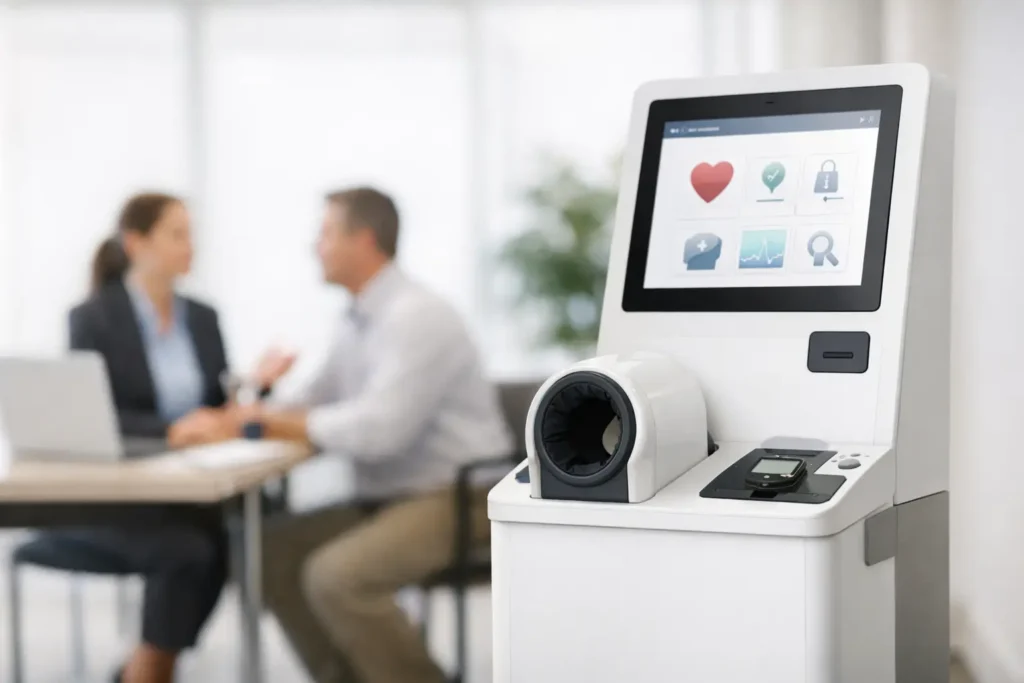
If you are planning a wellbeing week, a benefits campaign or a broader preventative health programme, one issue tends to slow things down – appointments. That is why many employers now ask how to rent health screening kiosks instead. A kiosk gives employees quick access to core health checks during the working day, without the admin burden of booking one-to-one slots.
For HR teams, People leaders and wellbeing champions, the appeal is straightforward. You can offer height, weight, BMI, blood pressure, pulse and body fat percentage checks on-site, in a compact footprint, with immediate printed results. Employees get useful information in minutes. Your team gets a practical, visible wellbeing initiative that is easy to run and can achieve strong participation across a single site or multiple locations.
How to rent health screening kiosks without adding admin
The best place to start is not the machine itself. It is the outcome you want from the rental. Some organisations want a one-day activation during a health awareness campaign. Others want a kiosk on-site for a week or longer so staff across shifts, departments or hybrid schedules have time to take part. The right rental model depends on your workplace pattern, not just your headcount.
Before you book, define four practical points. First, how many employees need access. Second, whether this is for one office, several sites or a mobile programme. Third, how long the kiosk needs to remain in place. Fourth, what data or reporting you want at the end. If your aim is visibility and engagement, a shorter hire in a busy communal area may work well. If your aim is broader uptake, a longer rental usually gives better coverage.
A good provider should make the process simple. In most cases, you should expect delivery, installation, basic training and collection to be handled for you. That matters because the value of kiosk screening is convenience. If your HR team has to troubleshoot technical issues or coordinate set-up themselves, the operational benefit starts to disappear.
What a workplace health screening kiosk should include
When employers compare options, the useful question is not simply whether a kiosk takes measurements. It is whether those measurements are relevant, easy to understand and suitable for a workplace setting.
A typical health screening kiosk is designed to capture core biometric readings that employees can use as a prompt for healthier habits or further advice from their GP where appropriate. Height and weight provide the basis for BMI. Blood pressure and pulse give a snapshot of cardiovascular indicators. Body fat percentage adds another layer of context beyond weight alone. For many employees, this is less about diagnosis and more about knowing their numbers.
The immediacy matters. A kiosk that prints results there and then helps reinforce participation because employees leave with something tangible. It also reduces the need for follow-up administration. In a busy office or operational site, that speed is a major advantage over appointment-led models.
There is a trade-off, of course. Kiosks are ideal for efficient, high-volume screening, but they are not a replacement for clinical consultations or more in-depth assessments. If your objective is broad engagement and basic awareness, they fit well. If you need detailed occupational health review, they should sit alongside other services rather than replace them.
The site requirements to check before booking
One reason employers choose to rent rather than buy is that rental removes maintenance and long-term storage issues. Even so, the on-site practicalities still need checking early.
Most kiosks need only a modest amount of floor space and a standard power supply, but you should still confirm dimensions, access routes and positioning. Think about where employees will actually use it. A reception area may have good visibility, but a quieter breakout space may offer better privacy and therefore better participation. The right location is usually one that balances convenience with discretion.
You should also consider traffic flow. If a kiosk is placed where queues build quickly, employees may avoid using it. If it is tucked too far away, uptake may be lower than expected. In larger workplaces, a temporary internal campaign with signage and manager reminders often makes a noticeable difference.
For multi-site employers, ask how delivery and engineering support are managed across the UK. National coverage is valuable because it reduces the coordination effort for central HR teams. It also lowers the risk of delays if a kiosk needs servicing or replacement during the hire period.
How long should you rent a health screening kiosk for?
This depends on workforce patterns. For a smaller office with regular attendance, a single day or two-day hire may be enough. For shift-based environments, manufacturing sites, hospitals, distribution centres or hybrid offices, a longer rental is often more effective because employees need flexibility.
A short hire works best when you can create a clear event around it. That might be a wellbeing week, a benefits fair or a targeted awareness campaign. A longer hire works better when you want steady participation without disrupting work schedules.
There is also a budget question. A one-day event can be cost-effective if footfall is high and communications are strong. But if only a fraction of staff are on-site that day, the apparent saving can become poor value. Renting for several days or rotating kiosks across sites can produce better overall participation.
Questions to ask your provider before you commit
If you want a smooth deployment, ask operational questions first and commercial questions second. Start with delivery times, installation arrangements, power requirements, training, maintenance cover and what happens if there is a technical issue on the day. Then move on to reporting, consumables and pricing.
It is worth confirming whether printouts are included, whether paper replenishment is handled, and whether anonymised usage data is available if you want to assess engagement. For many employers, simple reporting helps justify future wellbeing spend and shows that an initiative was used, not just announced.
You should also ask how employees are introduced to the kiosk. Basic user guidance matters. The process should be straightforward enough that staff can use the equipment confidently, but some brief on-site instruction at installation is still useful. That reduces hesitation and helps managers promote the service accurately.
If you are integrating screening into a wider wellbeing strategy, ask whether the provider can support follow-on activity. A health screening kiosk works best when it is not a standalone gesture. It can sit neatly alongside webinars on nutrition, sleep or stress, plus on-site sessions such as massage, yoga or movement classes. That gives employees a next step once they have seen their results.
Making the rental successful once it is on-site
Even the easiest service benefits from internal promotion. Employees are more likely to take part when the purpose is clear and the process sounds manageable. Keep the messaging simple. Explain what the kiosk measures, how long it takes, where it is located and that there is no need for appointments.
Managers can help by allowing staff time during the working day to use it. That sounds obvious, but it has a direct impact on uptake. If employees feel they need to squeeze the check into a lunch break, participation usually drops.
Privacy should be handled sensibly as well. People are more comfortable engaging with health checks when the setup feels respectful. You do not need a clinical room, but you do need enough space for employees to complete the process without feeling observed.
This is also where a turnkey service makes a difference. When delivery, installation, maintenance and collection are handled by field service technicians and engineers, your internal team can focus on communication and engagement rather than logistics. For employers that want a low-friction rollout, that support model is often the deciding factor.
When renting is the better choice than buying
For most employers, rental is the practical option. Buying a kiosk only makes sense if you have a frequent, ongoing requirement, internal resource to manage upkeep and somewhere to store and maintain the equipment between uses. Many organisations do not want that responsibility.
Rental gives you flexibility. You can test employee demand, use the kiosk during key wellbeing periods, and scale up or down depending on participation and budget. It also keeps the service current, because maintenance and operational support sit with the provider rather than your team.
For UK employers looking for a straightforward way to promote preventative health, renting is usually the faster route from idea to delivery. You define the dates, site needs and desired outcomes, and the service can be organised around your workplace rather than the other way round.
A well-run kiosk programme does not need to be complicated to be effective. If employees can step up, complete a check in minutes and leave with clear results, you have already removed most of the barriers that stop workplace health initiatives from being used.