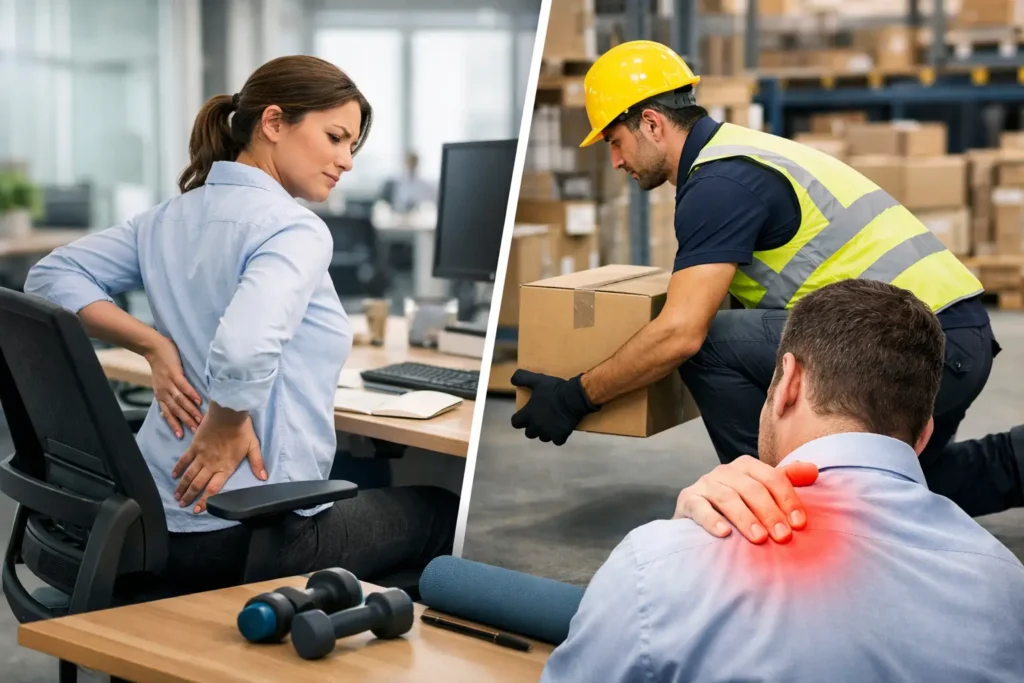
A stiff neck after a day at a laptop, a painful shoulder after repetitive lifting, or lower-back discomfort following a long shift can quickly become more than an individual health issue. To prevent workplace musculoskeletal injuries, employers need to look beyond a single workstation assessment or an annual wellbeing event. The practical aim is to make healthy movement, suitable work design and early support part of everyday working life.
Musculoskeletal injuries affect muscles, joints, tendons, ligaments and nerves. They can develop suddenly after an incident, but more commonly build over time through awkward posture, repetitive activity, poor manual handling, prolonged sitting or insufficient recovery. For HR and occupational health teams, the impact is visible in absence, reduced productivity, discomfort at work and avoidable pressure on managers.
Prevent workplace musculoskeletal injuries through work design
The most effective prevention starts with the task, not the person. Asking employees to simply “sit up straight” or “take more breaks” places too much responsibility on individuals when the job itself may be poorly designed.
Review how work is actually completed. In an office, this means considering screen height, chair adjustment, keyboard and mouse position, lighting and the frequency of uninterrupted screen work. In operational settings, it means examining load weights, carrying distances, reach heights, twisting movements, pace of work and whether suitable equipment is available where it is needed.
A workstation that is technically adjustable is only useful when employees know how and when to adjust it. Provide clear set-up guidance when someone joins, changes desks or begins hybrid working. A short, practical demonstration is often more useful than a detailed policy document. Employees should be able to position their screen at a comfortable height, keep frequently used items within easy reach and use their chair to support their lower back rather than perch at the edge of the seat.
For multi-site organisations, consistency matters. Different locations may have different furniture, space constraints and job demands, but the standard should remain clear: workstations and tasks must be suitable for the people carrying them out.
Do not overlook hybrid workers
Home working can introduce risks that are less visible to managers. Employees may spend several days a week using a dining chair, working from a laptop without a separate screen or taking calls in a cramped space. These arrangements may feel manageable at first, but discomfort often develops gradually.
A proportionate home-working assessment should focus on the essentials: seating, display-screen set-up, available space, work duration and any existing discomfort. Not every employee needs identical equipment. Someone working from home occasionally may need simple laptop accessories and guidance, while a full-time remote worker may need a more complete workstation solution. The key is to assess the role and the individual arrangement rather than apply a blanket approach.
Build movement into the working day
Good ergonomics reduce unnecessary strain, but no chair can offset eight hours of stillness. Movement is a core part of musculoskeletal health, particularly for desk-based employees whose work naturally encourages long periods in one position.
Encourage regular changes of posture rather than prescribing a perfect sitting position. Employees can stand for a call, walk to speak with a colleague, take a brief screen break or complete a few simple mobility movements between focused tasks. Short, frequent movement breaks are usually more realistic than expecting people to find a large block of time for exercise during the day.
Managers have an important role here. If teams see leaders booking back-to-back video calls, eating at their desks and praising long hours of uninterrupted work, movement messages will not land. Meeting practices can make a difference: leave short gaps between calls, use walking meetings where appropriate and avoid treating screen breaks as lost time.
Structured office yoga, stretch and movement sessions can provide an accessible starting point, particularly for employees who do not know what movements are suitable. They should support, rather than replace, safer work design and individual adjustments.
Make manual handling specific to the job
Manual handling training often fails when it is generic. A demonstration involving an empty box in a training room does not necessarily prepare an employee for moving awkward stock, handling items from low shelving or carrying materials through busy work areas.
Employers should assess the full handling task: the load, the environment, the person and the way the work is organised. Consider whether a load can be reduced, split into smaller units, stored at a better height or moved with a trolley or other mechanical aid. These controls are usually more reliable than asking employees to compensate with lifting technique alone.
Rotation can help where repetitive tasks cannot be eliminated, but it needs to be planned carefully. Moving a person between two tasks that use the same joints and movements may offer little recovery. A useful rotation changes the physical demand, workload or posture.
Employees should also have a straightforward route to report damaged equipment, congested walkways, poor storage layouts and tasks that feel unsafe. Small operational problems are often identified first by the people doing the work.
Identify discomfort before it becomes absence
Employees do not always report pain early. They may worry about appearing unable to cope, assume discomfort is normal or wait until symptoms interfere with work. By then, an adjustment that could have been simple may become more complex.
Create a clear, non-judgemental reporting process. An employee who mentions wrist pain, recurring headaches, shoulder tension or lower-back discomfort should know who to speak to and what will happen next. The response may involve a workstation review, altered duties, a referral through occupational health or a discussion about workload and working patterns.
Early intervention does not mean diagnosing medical conditions internally. Managers should focus on the work-related factors they can address and seek appropriate clinical advice where needed. It is also sensible to document adjustments, review whether they are working and keep communication open if symptoms continue.
Health screening can complement this approach by giving employees a convenient opportunity to engage with their wider health. Measures such as blood pressure, pulse, height, weight, BMI and body fat percentage do not diagnose musculoskeletal conditions, but they can prompt useful wellbeing conversations and support preventative habits. A rentable on-site screening kiosk makes these checks available during the working day without appointment scheduling, while anonymised usage data can help employers understand engagement across a programme.
Give managers practical responsibilities
Line managers cannot be expected to act as ergonomists or clinicians, but they do need enough confidence to notice concerns and respond appropriately. Training should cover how to start a supportive conversation, when to escalate an issue, how to arrange adjustments and why early reporting matters.
It should also address workload. Musculoskeletal risk is not only physical. Tight deadlines, inadequate staffing and limited control over work can encourage people to skip breaks, rush handling tasks or continue working through discomfort. A prevention plan that ignores these pressures will have limited effect.
Provide managers with a simple route for action. For example, they should know how to request a workstation assessment, order approved equipment, report a manual-handling concern and access occupational health support. Clear ownership prevents issues being passed between HR, facilities, health and safety and line management.
Measure what changes in practice
A wellbeing initiative is more useful when it produces information that can guide the next decision. Track relevant absence patterns, reported discomfort, workstation assessment themes, manual-handling incidents and participation in movement or training sessions. Look for trends by job role, site or work pattern, while protecting employee confidentiality.
Numbers need context. High attendance at a posture webinar is encouraging, but it does not prove workstations have improved. Equally, an increase in reported discomfort may initially be a positive sign that employees feel safer speaking up. Combine participation data with employee feedback and operational observations to understand what is happening.
Relaxa can support a year-round approach through on-site movement sessions, wellbeing learning and convenient health screening, with UK-wide delivery and service support that reduces the administrative burden on internal teams.
The practical test is simple: can an employee raise a concern, receive a timely adjustment and return to comfortable, sustainable work? When that process is easy, prevention becomes part of how the organisation operates rather than a message delivered once a year.